Advice on Delivery Day selection
Why do we need a specific delivery day?
- Our Backend processes all orders for a given delivery day.
- Items may have different attribute values depending on that delivery day (Availability, OrderStop, Prices, Descriptions)
Consequences
- To avoid surprises when it comes to submitting an order to the backend, one should take care to properly pick a possible delivery day as soon as a customer authenticated.
- Note, that even guest visitors see data for an implicit delivery day (based on a new-customer or guest-tour). The offering shown for that phase is typically well crafted in the backend (less restricted), still some items may not be available anymore or have different attributes once a customers logs on. If they are already in the cart (from before the logon), they need to be marked as not being available. Legally seen, this is not perfect ;-)
How to set a delivery date
Normally, api clients use sessions, which start with a logon call.
Classic workflow
Workflow to fully use all the capabilities of our backends.
- Available delivery days are provided by the ShopDate Response type, which can be obtained using the Dates-Call and which is returned also by various other calls. This Response Type carries not only the date, but tells also if there are already orders, if the date is a regular one or perhaps a shifted day, delivery options like shipping costs and much more.
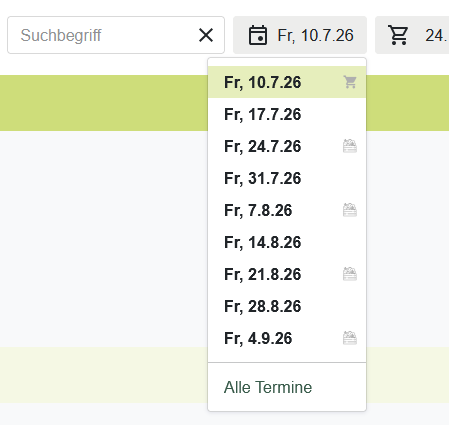
- the customer may get offered a date selection (use a calendar UI or a simple select element). That selection shall list the dates, but also the possibly existing orders (perhaps shown as well in a calendar)
- once he/she decides for a intended delivery date, the setTour call is used to set that date to the running session. This call understands a date parameter as well as an orderid (in case a existing order needs to be changed).
- subsequent calls for Item data will properly return data for this delivery day. A following cart submit or order change will automatically use that day.
- a logout closes the session.
When new customers register, they undergo a tour picking process and have an assigned delivery date finally too.
One-off shops
If the shop idea is reasonable simple and not depending on a delivery day, a customer may not need to be bothered with a date selection first. Still, the backend maintains delivery days as usual.
- use
auto=trueas parameter to the Logon call. This will automatically pick the next available delivery day for the session. It is returned in that call, when this parameter is used. - alternatively, you can use a one-shot method to register a client and send an order in one step.
Hand over delivery date with the order
One may reduce API interactions further by avoiding the setTour call and handing over
the delivery date directly with the cart submit call (ddate_iso).
For order changes, the orderid must be provided anyhow, this implies the delivery date.
Inspirations
Calendar view in standard shops. Beside the ShopDates, also other Dates
are provided, so the calendar can be really feature rich. Here we show more information underneath, once you pick a date.
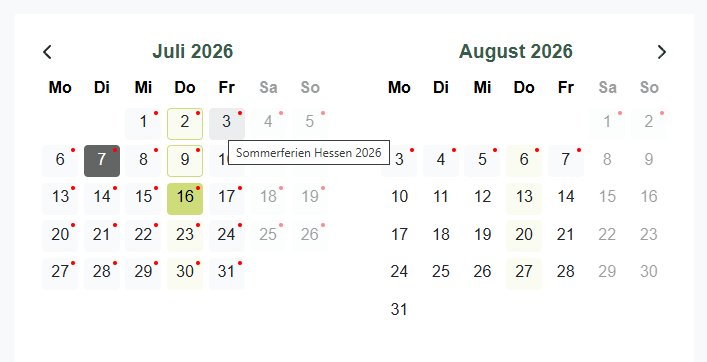
Several styles indicate existing orders, order possibilities, delivery pauses, shop specific dates (Summerparty!) or bank holidays.
Alternative quick date selection: